Get started with
A web-based RF simulation tool to simplify your WLAN deployment
52773120305b0f98600001c4_productshot_4.png
When to Use
A Simple & Practical Tool for Wi-Fi Pre-sales Planning
Wi-Fi Planner PRO provides comprehensive visualization of Wi-Fi environment prior to actual deployment. It makes planning and communicating WLAN deployment with the clients a lot easier!
Tour
5292f373d9056835400001b3_one.png
Create a project
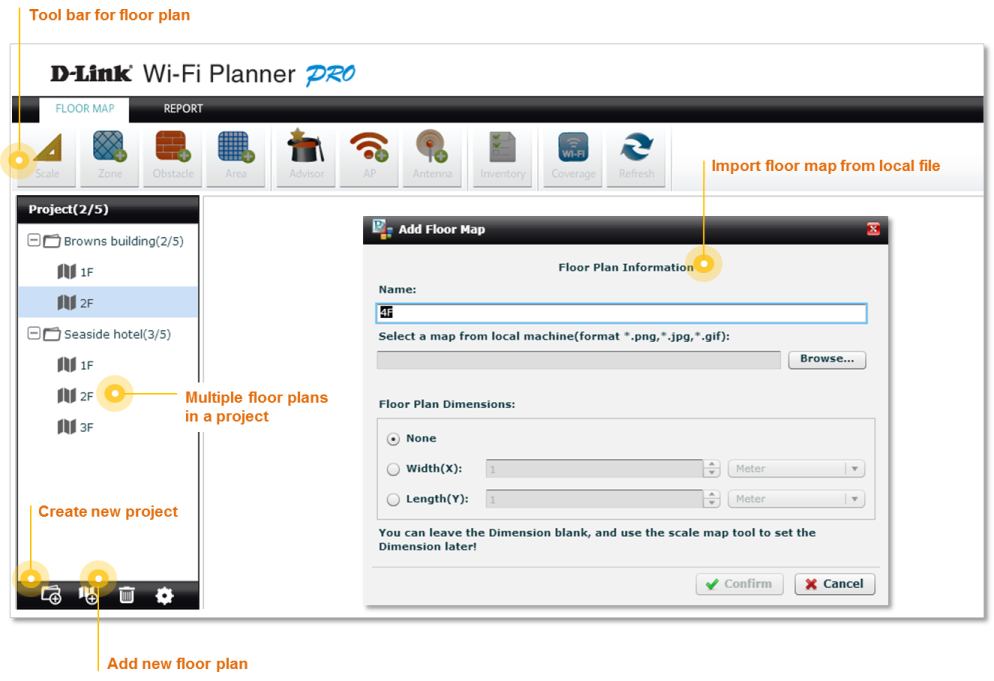
The first thing you need to do is creating a project folder. Next, upload an image of  the floor plan for your Wi-Fi project . The floor plan can be provided by customers or drawn by you. 
5294523a7ef6ac723700031a_Create%20project.png527b473b5630ceee6b0001a6_arrow%203.png
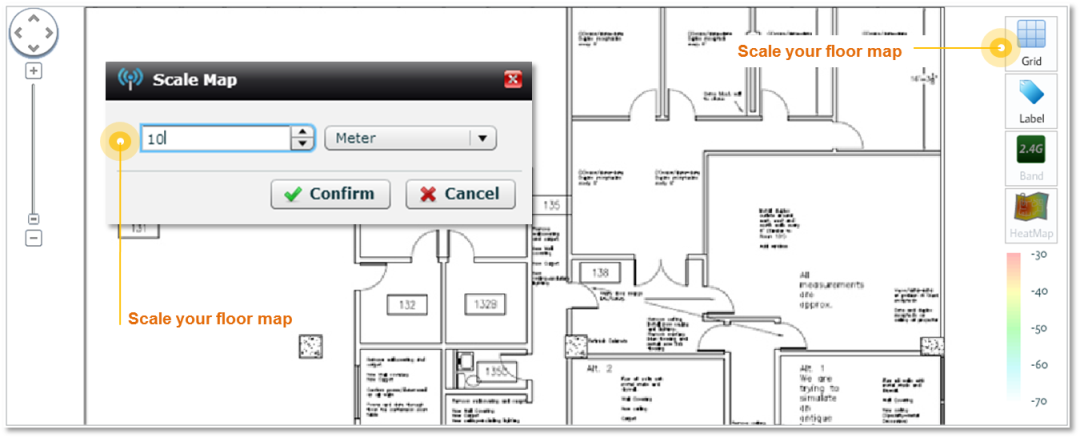
Then "scale" the floor map to  produce an estimate of the measure of the floor plan.

527752efdd9ba65f5f00010f_Tool_scale.png529452e35d747d9362000228_Scale%20floor%20map.png
5292f634b2d37c4517000005_second.png
‚Define Zones, Obstacles & Areas
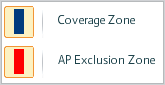
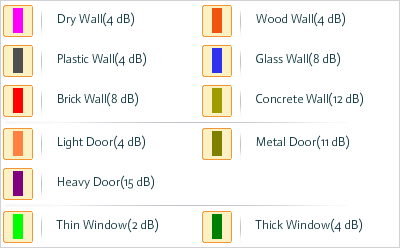
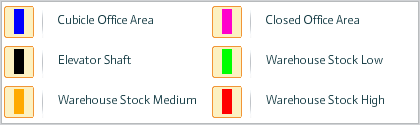
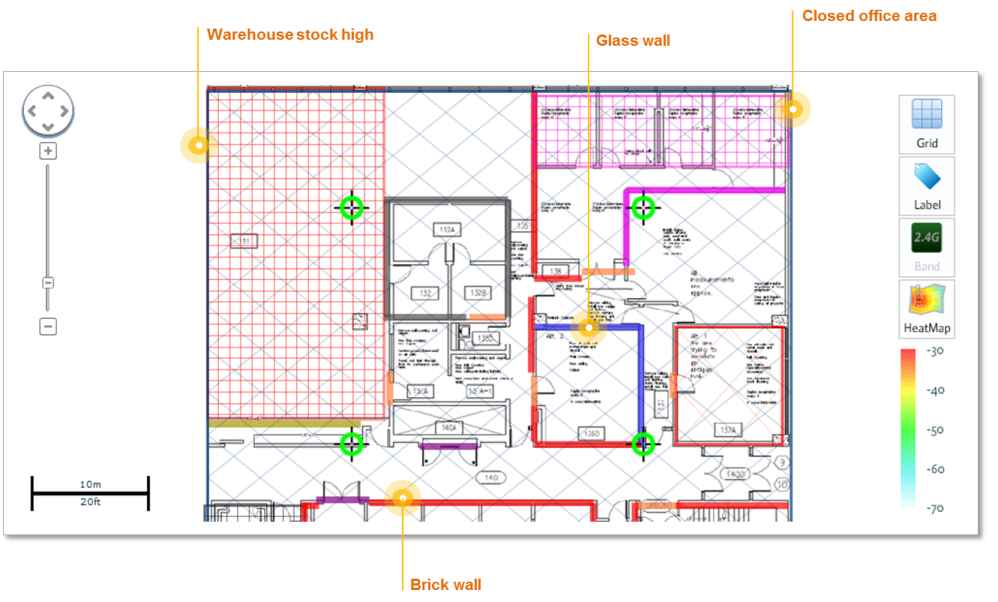
Next, define the Wi-Fi coverage zone and access point exclusion zone. Mark obstacles such as walls or doors, and  indicate special zones, such as closed office space or warehouse. This will help WFP produce a more accurate simulation. 

5277564c305b0f9860000283_Tool_define.png
Zone Type
527758b9dd9ba65f5f000117_Zone.png
Obstacle Type
52775901fef1999760000269_Obstacle.png
Area Type
527758e5dd9ba65f5f000118_Area.png
529452b17ef6ac723700031b_Obstacle.png5292f655b2d37c4517000006_third.png
‚ƒPlace Access Points by Advisor
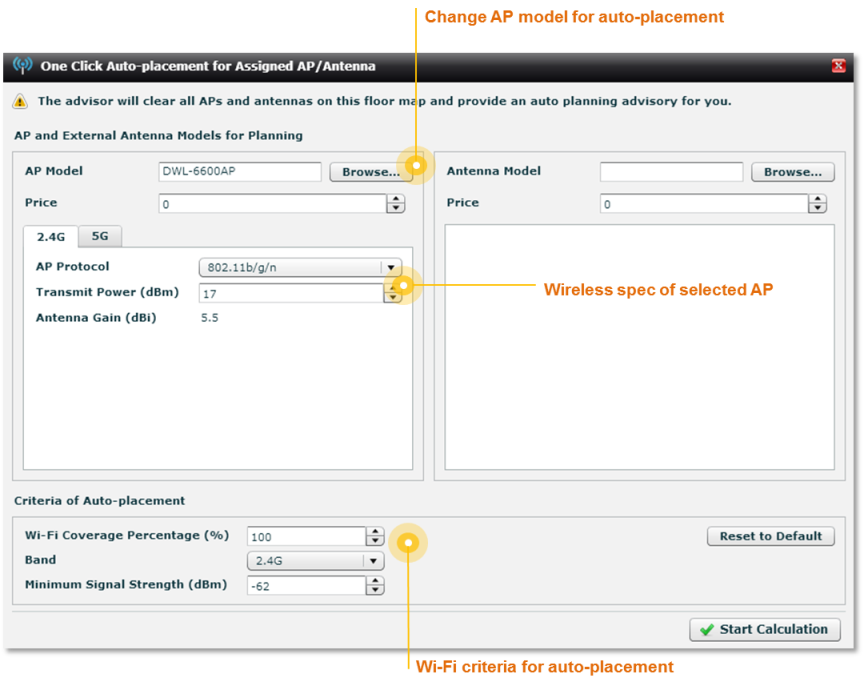
After all the conditions are set, the built-in AP Placement Advisor will provide a suggestion on the number of AP and the AP placement that are needed for the Wi-Fi planning.

527a06d4754e2e966100002a_Tool_advisor.png529451fa5d747d9362000222_auto%20placement.png5292f6b6b2d37c4517000008_forth.png
‚ƒ„Review Deployment & Heat Map
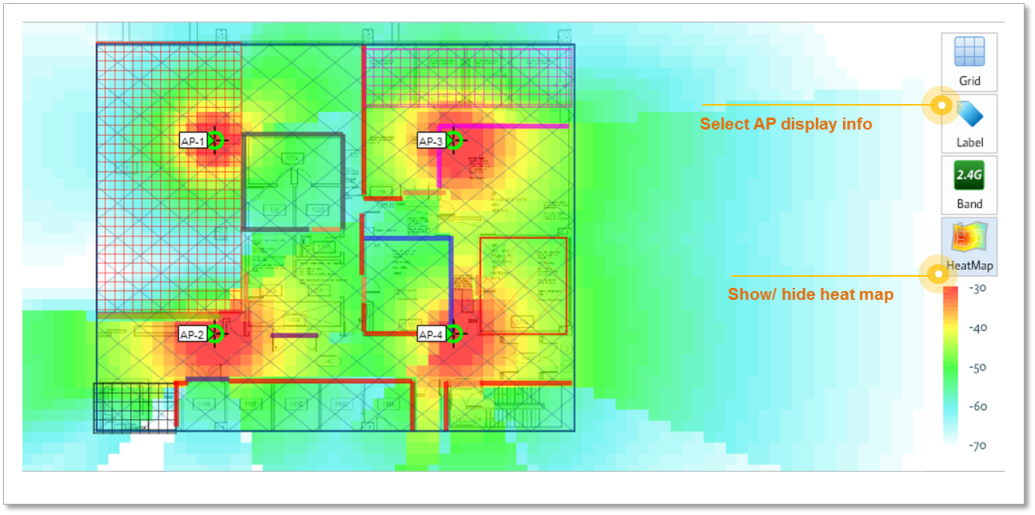
Once the calculation is done, you will see the number and placement of APs, as well as the APs information and heat map that shows the simulation of the Wi-Fi coverage. 
5294525f5d747d9362000225_heatmap.png5292f6ac9b434d8743000007_fifth.png
‚ƒ„…Make Adjustments As Needed
Change to Different Model
If the result suggested by the Advisor is not satisfactory, just click on any AP on the floor map to change another to 
D-Link model. You may adjust its parameters if needed.

529451ab25fef5713700031e_Add%20AP.png
529451785d747d936200021a_Add%20antenna.png
52934d1fe55876911b00027d_antenna%20tool%20bar.png
Add External Antenna
You can aslo add an external antenna for particular APs on the floor plan. The system will bring up antenna information before actually modifying any settings.
Other Changes You Can Do...
You can also re-position the APs by dragging it, delete APs, or add new ones to create a deployment that better suits your need.

5292f6a0c44efb8943000005_six.png
‚ƒ„…†Generate Report
527b09b190f73dd47900001f_Reports.png
WFP can provides reports in two formats : PDF and Word files. Key items included in the report are:
  .AP inventory list
  .AP details
  .AP location map
  .Wi-Fi heat map
Before You Start
Before you start using this amazing tool in your wireless projects, there are a few precautions that require your attention:
5294717e25fef571370003d2_Before%201_S.png
Simulation ≠ Reality
The result generated from the WFP is a simulation of the Wi-Fi planning before actual deployment. It should NOT be used to replace the actual survey after deployment.
529471b65d747d936200049d_Before%202_S.png
Environment Matters
The WFP is NOT suitable for outdoor environments or indoor environments with distinct floor surface levels. 
529471de5d747d93620004a0_Before%203_S.png
Height Matters
The simulation can NOT be accurately used  if AP is installed on the roof of high-ceiling building such as warehouses or halls. 
Start Using Wi-Fi Planner PRO!
Wi-Fi Planner PRO is built-in on D-Link Partner Portal and only available for D-Link Partners. Click on your country / region below to try it now!  If you have any questions regarding the access of this tool, contact your  D-Link sales representatives. 
Belorussia 
Estonia 
Latvia 
Lithuania 
Ukraine 
Uzbekistan
RussiaEuropeUSATurkeyIsraelMongoliaMexicoMiddle EastIndiaHong KongBrazilLatin AmericaAustralia & New Zealand